 BarManager
Locations & peopleLocaties & mensen
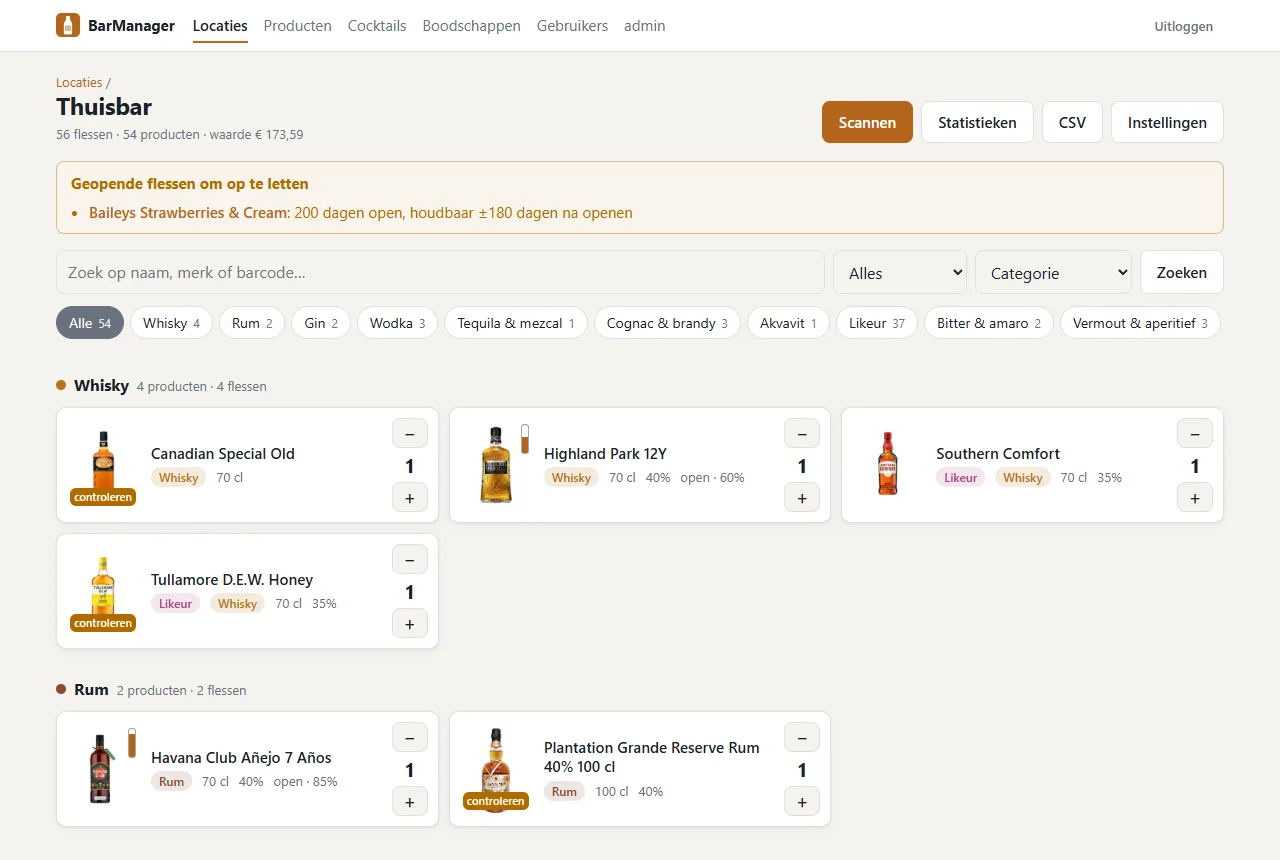
Home bar, cellar, clubhouse: each with its own stock. Give others access per location.
Thuisbar, kelder, clubhuis: elk met een eigen voorraad. Geef anderen per locatie toegang.
Free · open source · self-hostedGratis · open source · zelf gehost
BarManager keeps track of every bottle in your bar, cellar or clubhouse. Scan a barcode with your phone and it looks the bottle up online: name, brand, photo, alcohol and category. Then it shows which cocktails you can make tonight and what is worth buying next.
BarManager houdt elke fles in je bar, kelder of clubhuis bij. Scan een barcode met je telefoon en hij zoekt de fles op internet op: naam, merk, foto, alcohol en categorie. Daarna zie je welke cocktails je vanavond kunt maken en wat de moeite waard is om te kopen.
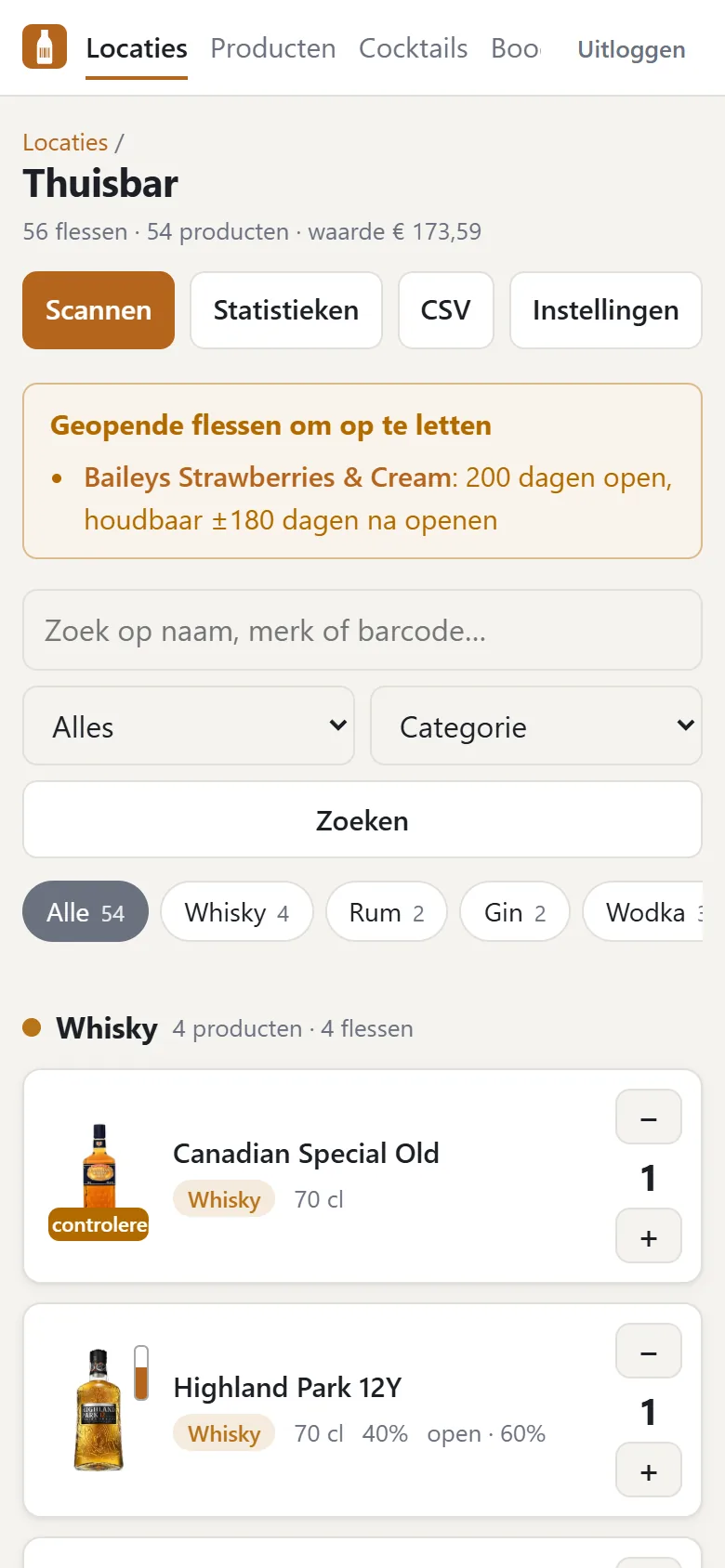
Point your phone camera at the barcode, or use a USB or Bluetooth hand scanner. A beep, and the bottle is in stock. The scanner pauses after each bottle, so nothing gets counted twice.
Richt de camera van je telefoon op de barcode, of gebruik een USB- of Bluetooth-handscanner. Een piep, en de fles staat op voorraad. Na elke fles pauzeert de scanner, zodat niets dubbel telt.
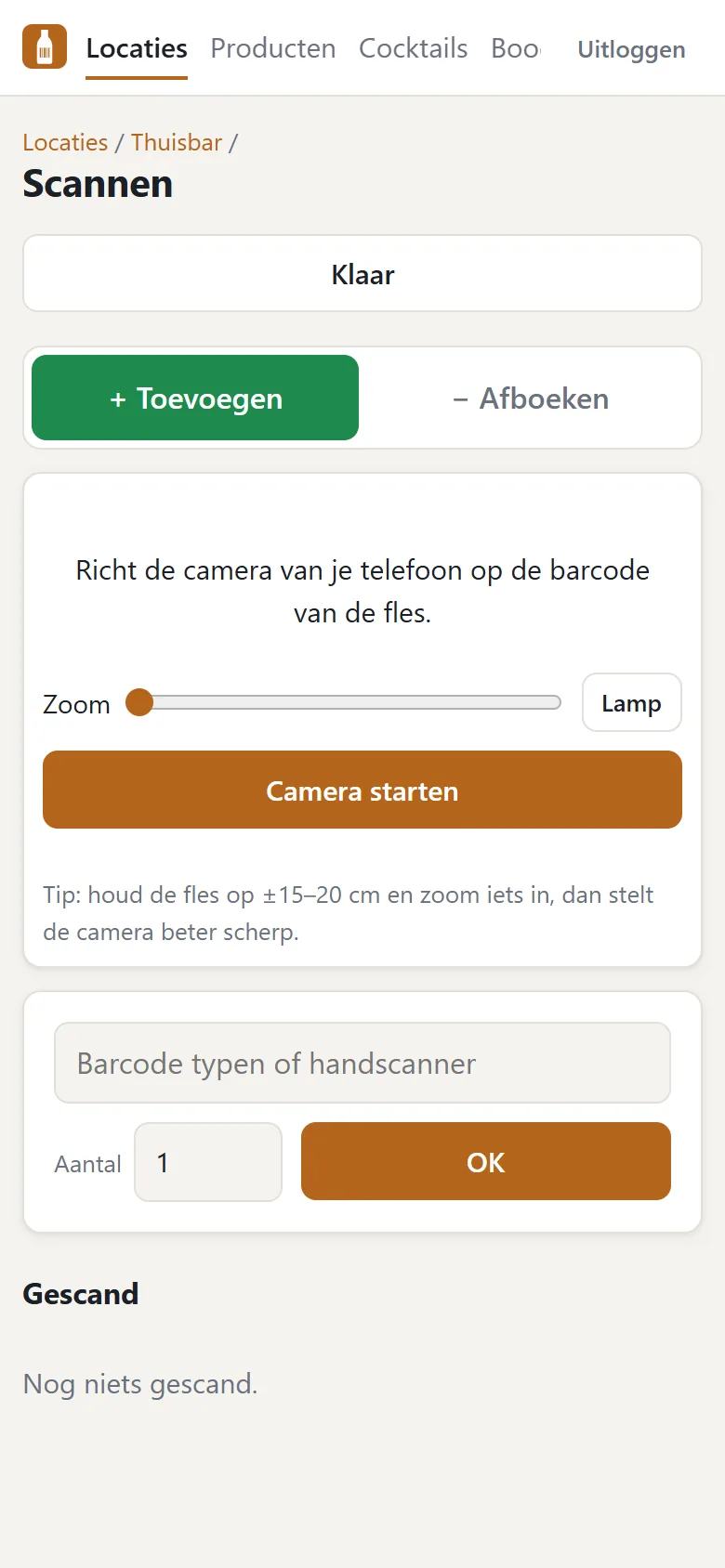
Open Food Facts, UPCitemdb, Wikipedia and, if you like, your own SearXNG: name, brand, volume, alcohol, product photos and the right category, even "whisky and liqueur" for a honey whiskey.
Open Food Facts, UPCitemdb, Wikipedia en desgewenst je eigen SearXNG: naam, merk, inhoud, alcohol, productfoto's en de juiste categorie, zelfs "whisky én likeur" voor een honingwhiskey.
See what you can make with what is on the shelf, keep an eye on open bottles, and let the shopping list fill itself.
Zie wat je kunt maken met wat er op de plank staat, houd geopende flessen in de gaten en laat de boodschappenlijst zichzelf vullen.
Cocktails
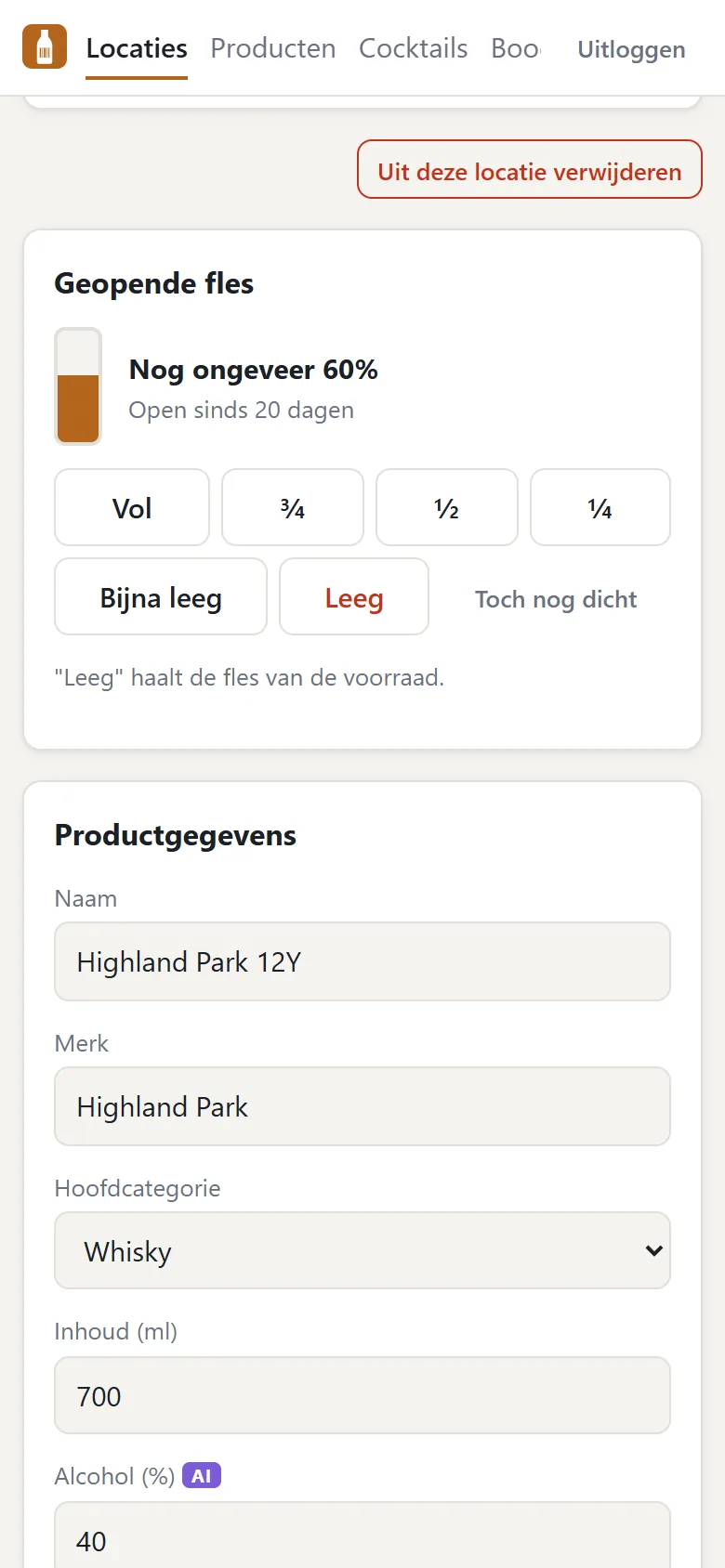
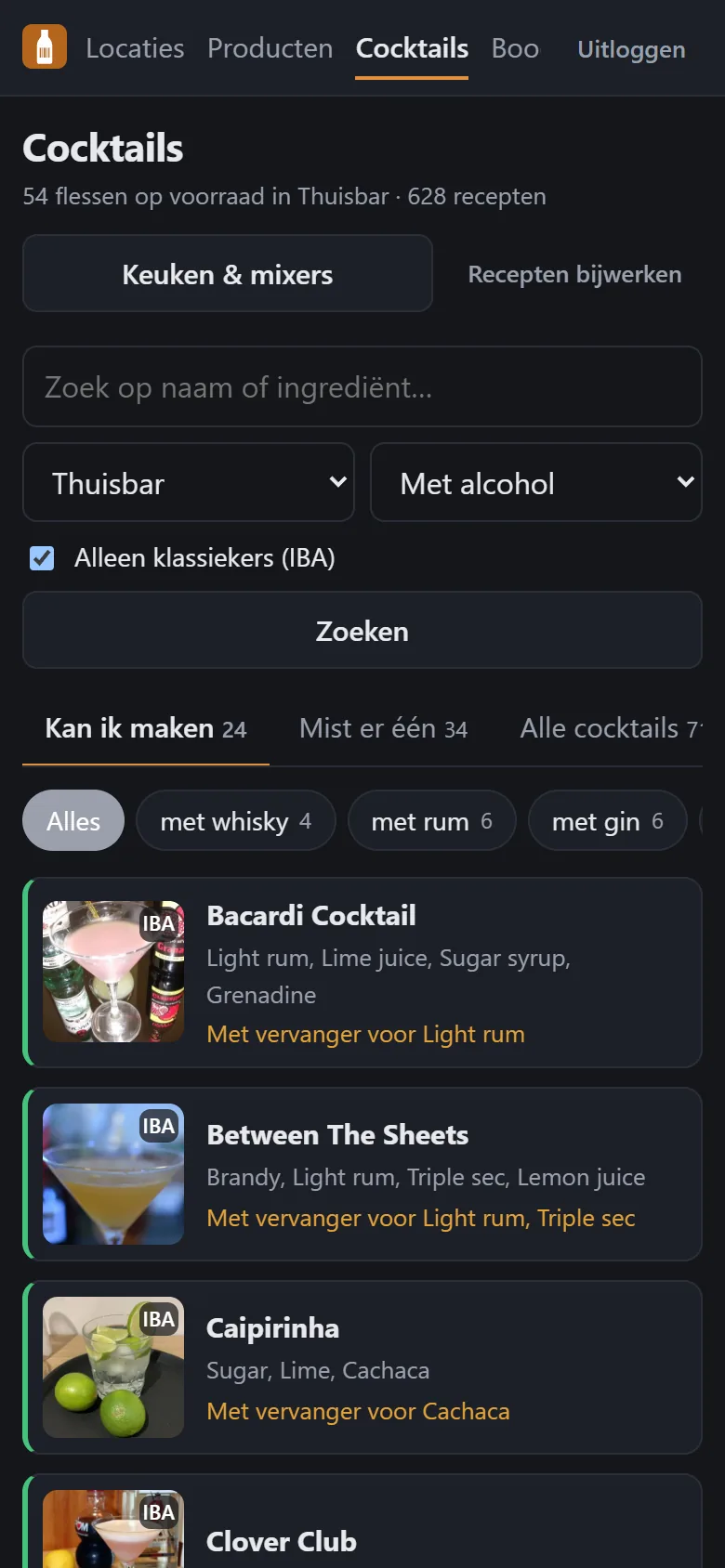
More than 600 recipes from TheCocktailDB, matched against the bottles you actually have. Three tabs: what you can make, what is one ingredient away, and everything else. BarManager also tells you which single bottle would unlock the most new drinks.
Ruim 600 recepten van TheCocktailDB, vergeleken met de flessen die je echt hebt. Drie tabbladen: wat je kunt maken, wat één ingrediënt verwijderd is, en de rest. BarManager vertelt ook welke ene fles de meeste nieuwe drankjes oplevert.
Kitchen & mixersKeuken & mixers
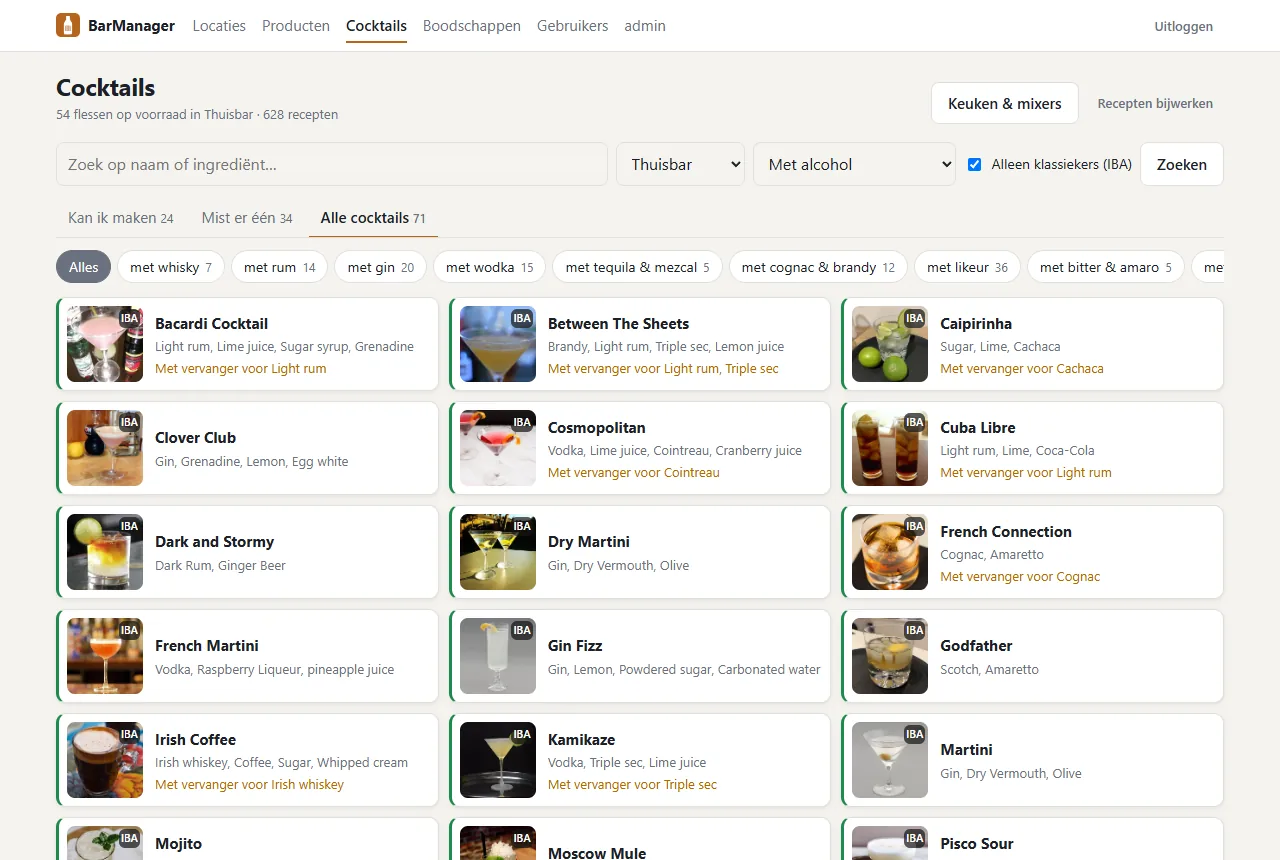
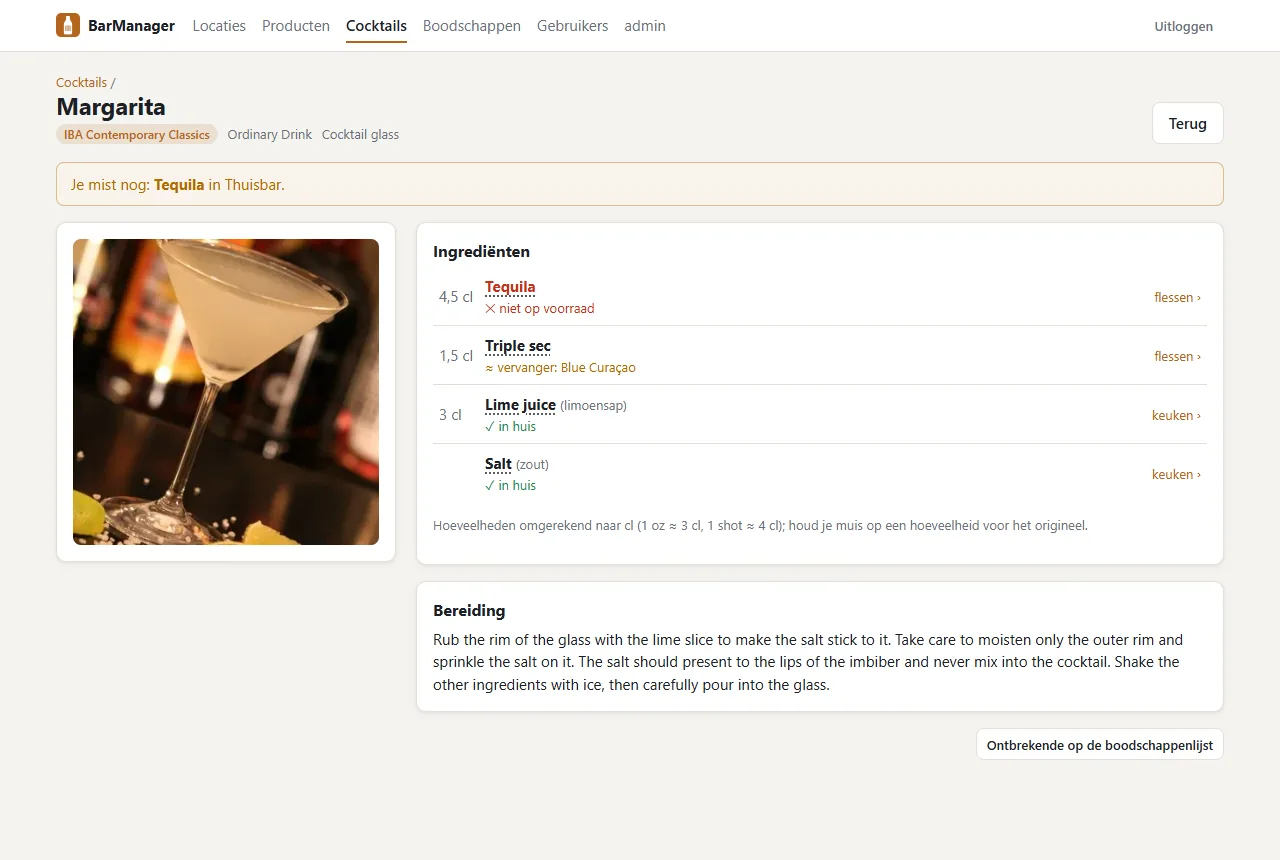
Juices, sodas, syrups, fruit, dairy and spices on one page, in plain language and sorted by how often recipes need them. Every cocktail then shows exactly what you are missing, so you do not have to check each recipe before you go shopping.
Sappen, frisdrank, siropen, fruit, zuivel en kruiden op één pagina, in gewone taal en gesorteerd op hoe vaak recepten ze nodig hebben. Elke cocktail laat daarna precies zien wat je mist, zodat je niet elk recept hoeft na te lopen voor je boodschappen doet.
Open bottles & statisticsGeopende flessen & statistieken
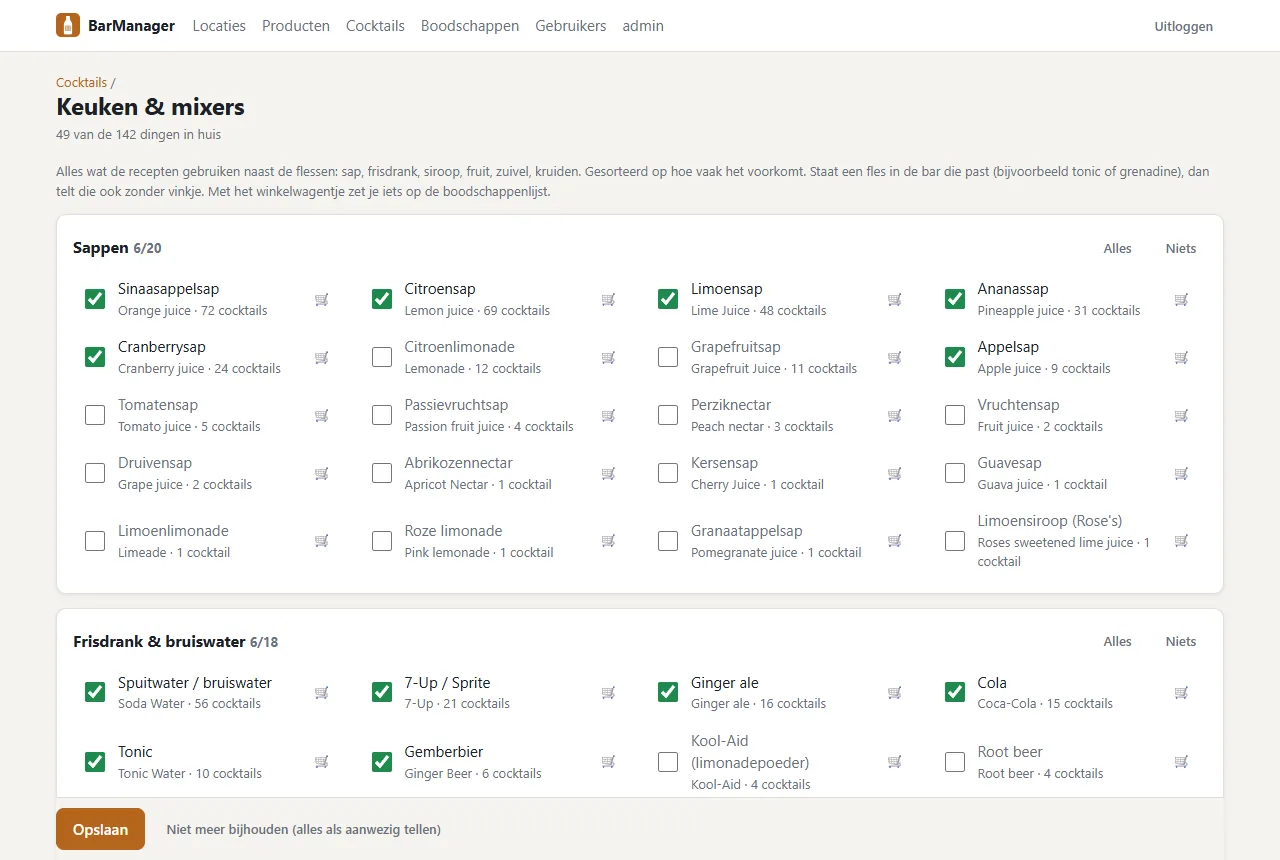
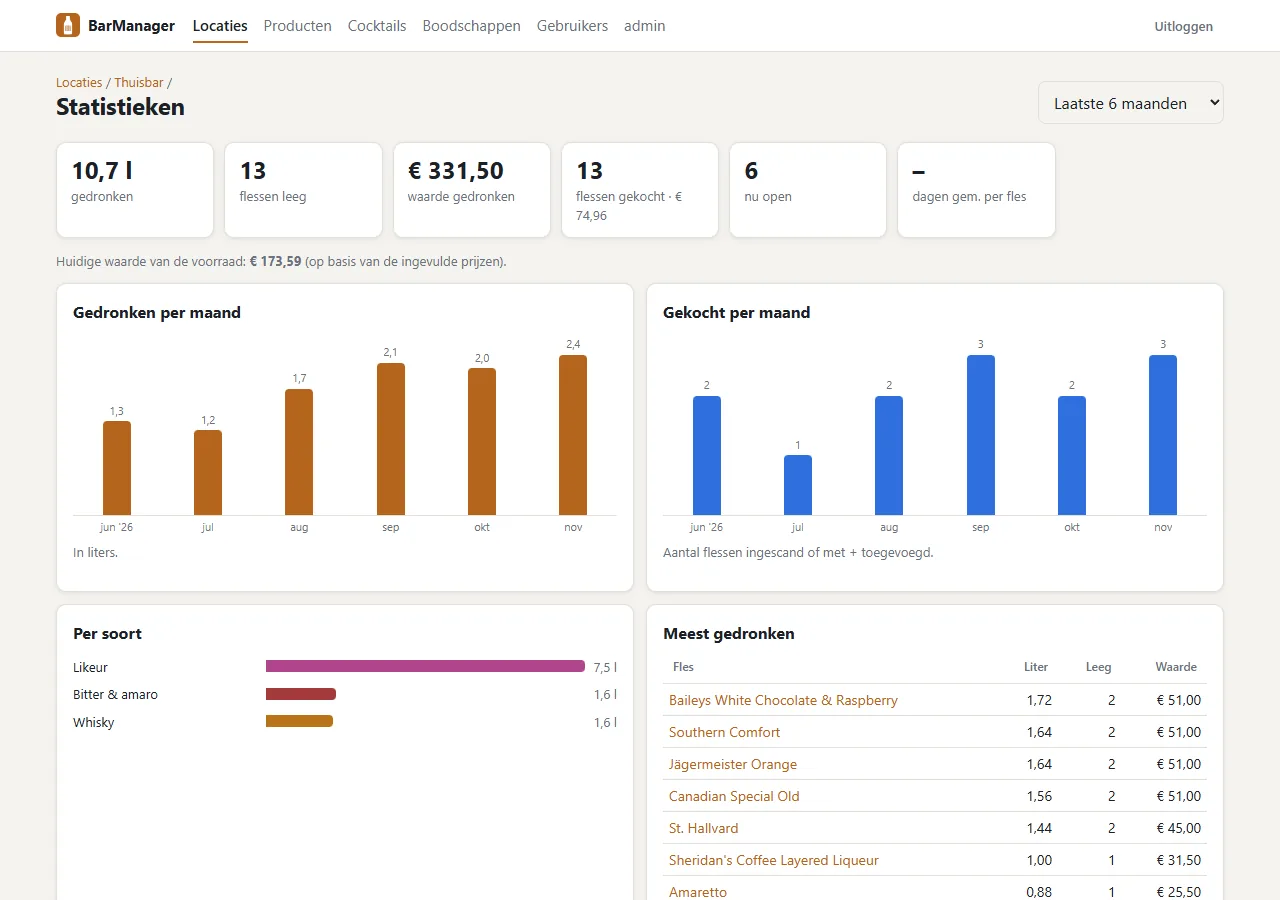
Switch on fill levels per location and mark a bottle full, ¾, ½, ¼ or empty with one tap. Cream liqueurs, vermouth and wine get a warning before they turn. Out of it falls a set of statistics: litres per month, what goes fastest, how long a bottle lasts and what it was worth.
Zet per locatie het bijhouden van de flesinhoud aan en markeer een fles met één tik als vol, ¾, ½, ¼ of leeg. Roomlikeuren, vermout en wijn krijgen een waarschuwing voordat ze bederven. Daaruit volgen statistieken: liters per maand, wat het snelst opgaat, hoe lang een fles meegaat en wat het waard was.
Shopping listBoodschappenlijst
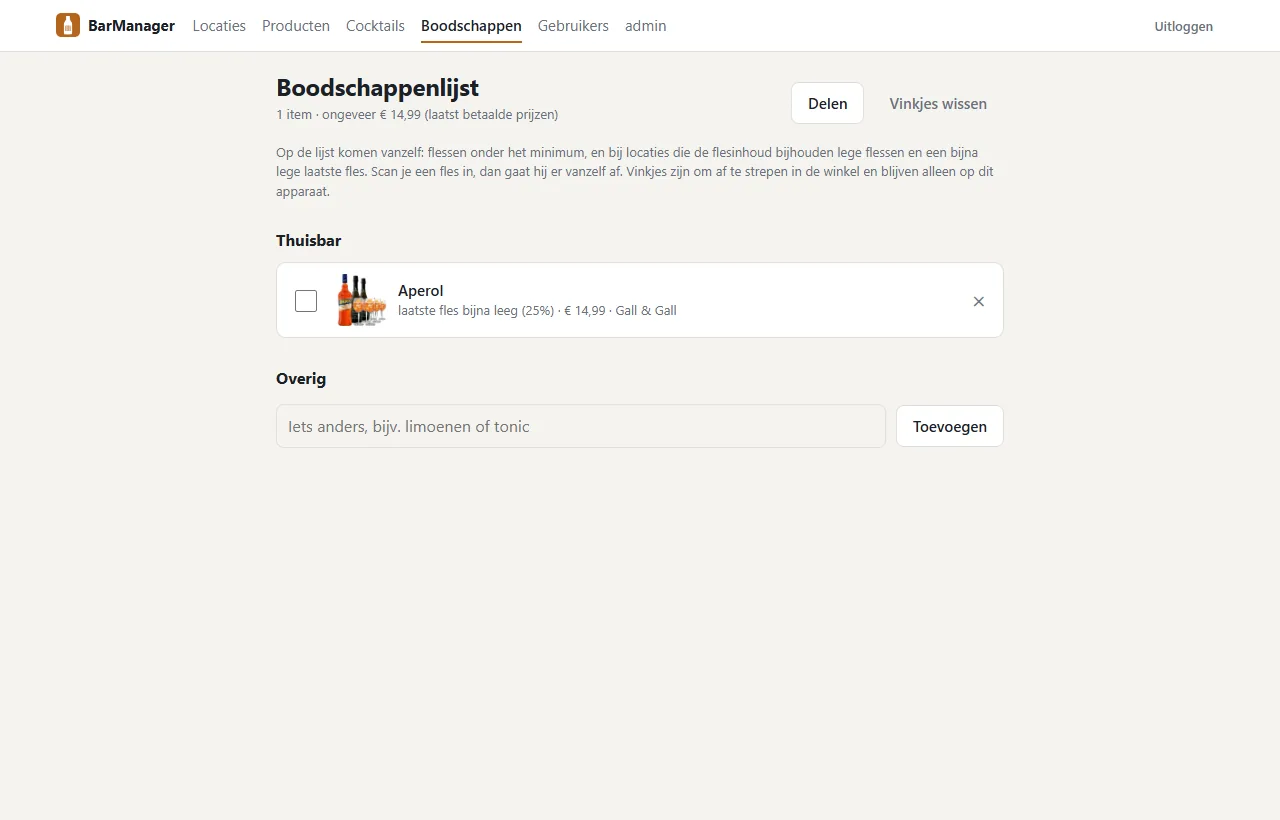
Bottles below their minimum, empty ones and an almost empty last bottle land on the list automatically, with the price and shop you paid last time. Tick things off in the store, share the list, and scanning a new bottle takes it off again.
Flessen onder hun minimum, lege flessen en een bijna lege laatste fles komen vanzelf op de lijst, met de prijs en de winkel van de vorige keer. Afstrepen in de winkel, de lijst delen, en een nieuwe fles inscannen haalt hem er weer af.
Bar menuBarkaart
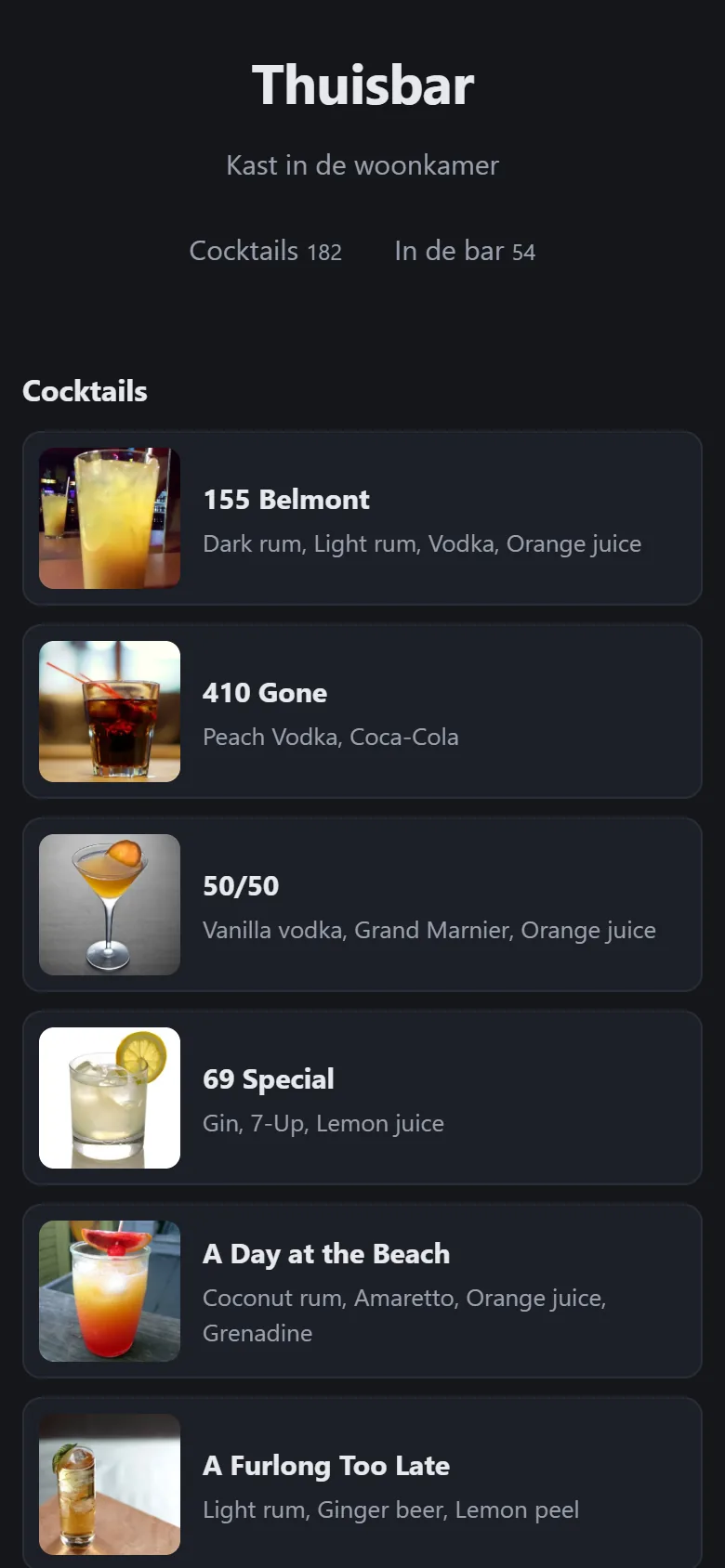
Put a QR code on the bar. Guests see what is on the shelf and which cocktails you can make, with recipes, but without quantities or prices. Switch it off or make a new link whenever you like.
Zet een QR-code op de bar. Gasten zien wat er op de plank staat en welke cocktails je kunt maken, met recept, maar zonder aantallen of prijzen. Zet hem uit of maak een nieuwe link wanneer je wilt.
Home bar, cellar, clubhouse: each with its own stock. Give others access per location.
Thuisbar, kelder, clubhuis: elk met een eigen voorraad. Geef anderen per locatie toegang.
A small model in Ollama (it runs on a Raspberry Pi 5) fills in brand, country, description and alcohol from the sources it found. It never guesses numbers.
Een klein model in Ollama (het draait op een Raspberry Pi 5) vult merk, land, omschrijving en alcohol aan uit de gevonden bronnen. Getallen raadt het nooit.
Price, purchase date and shop per bottle; the value of each location, and a CSV export.
Prijs, aankoopdatum en winkel per fles; de waarde per locatie, en een CSV-export.
Over twenty categories, from whisky and akvavit to bitters and garnish, and a bottle can be in two at once.
Ruim twintig categorieën, van whisky en akvavit tot bitters en garnering, en een fles kan in twee tegelijk.
One container with SQLite and the photos in a single folder. No account, no cloud, no tracking.
Eén container met SQLite en de foto's in één map. Geen account, geen cloud, geen tracking.
Follows your phone, and is made for one-handed use behind the bar.
Volgt je telefoon, en is gemaakt om met één hand achter de bar te gebruiken.
InstallInstalleren
BarManager is one Docker container, for Raspberry Pi (arm64) and regular servers (amd64). Put a reverse proxy with HTTPS in front of it, because browsers only allow the camera on secure pages. The first admin is created from the environment; everything else is set in the app.
BarManager is één Docker-container, voor de Raspberry Pi (arm64) en gewone servers (amd64). Zet er een reverse proxy met HTTPS voor, want browsers staan de camera alleen toe op beveiligde pagina's. De eerste beheerder komt uit de omgevingsvariabelen; de rest stel je in de app in.
# docker-compose.yml
services:
barmanager:
image: ghcr.io/lexvdpoel/barmanager:latest
environment:
- TZ=Europe/Amsterdam
- BM_ADMIN_USERNAME=admin
- BM_ADMIN_PASSWORD=change-me
volumes:
- ./appdata/barmanager:/config
ports:
- "8080:8080"
restart: unless-stopped